

Small Business Homepage Design: What Your Homepage Needs to Explain Clearly
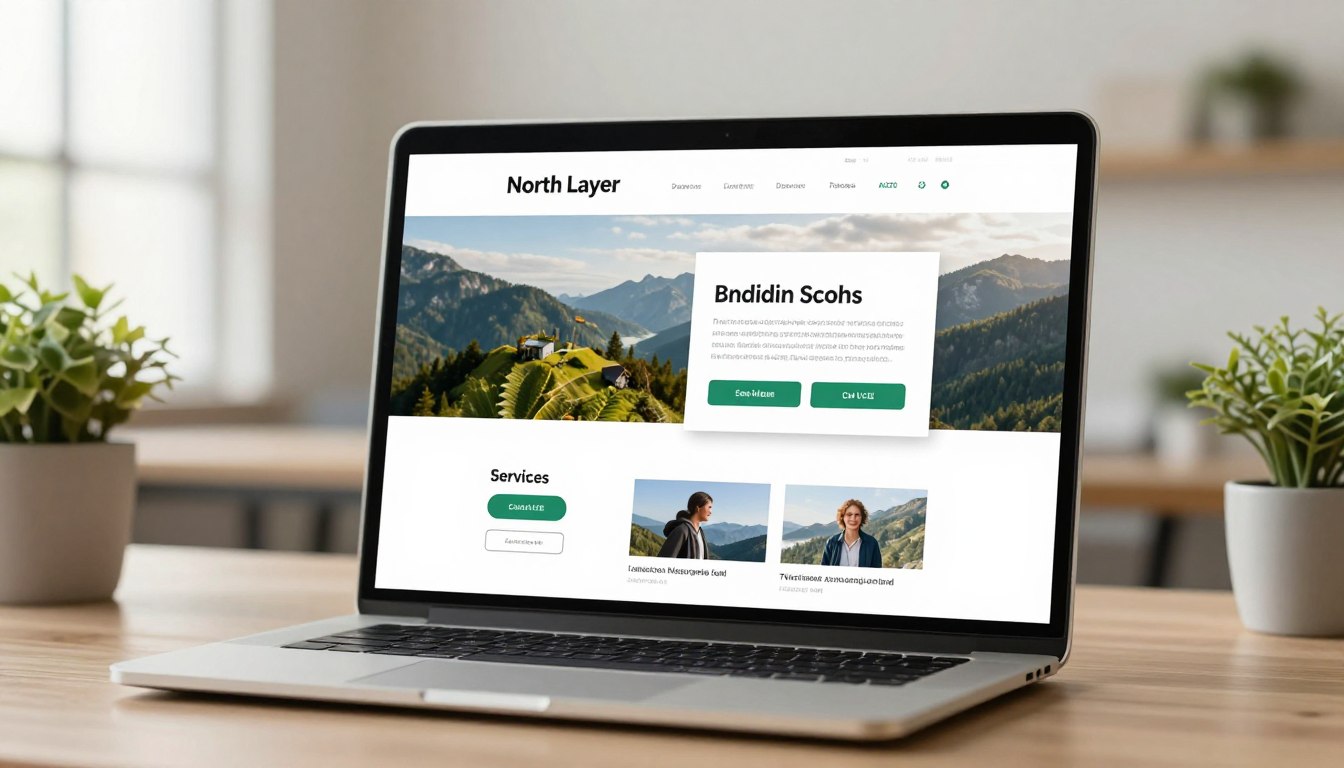
Your digital storefront is the first impression you make to customers. Most people decide quickly if they trust your brand. A good small business homepage design should guide your audience clearly.
Your site must answer four key questions before users scroll. They need to know what you offer, who you serve, why you’re the best, and what to do next. Providing these answers quickly turns casual visitors into qualified leads.
We think clarity is key for growth. By focusing on these elements, you avoid wasting marketing money and build real connections. A clear layout makes your message hit home before visitors think of competitors.
Key Takeaways
- First impressions are formed in seconds, making immediate clarity essential for retention.
- A successful site must clearly define your services and target audience instantly.
- Building trust requires explaining why your solution is the right fit for the visitor.
- Clear calls to action guide users toward becoming paying customers.
- Effective layouts prioritize user needs over complex visual trends to improve conversion rates.
Importance of a Well-Designed Homepage
A professional website layout is more than images and text. It shapes how people see your brand. When someone visits your site, they make a quick judgment. This first impression decides if they’ll check out your services or go elsewhere.
First Impressions Matter
Your homepage is like a digital storefront. If it looks messy or old, people might think your services are too. A clean, intentional design shows you care about quality and detail.
“Design is not just what it looks like and feels like. Design is how it works.”
Building Trust with Visitors
Trust is key for any successful deal. A professional website layout builds this trust by showing a clear, consistent look. When a site works well, people feel more comfortable sharing their info or buying.
To keep this trust, focus on these key points:
- Consistency: Stick to the same fonts and colors everywhere.
- Clarity: Make sure your main message is easy to see right away.
- Credibility: Use top-notch images that show what you really do.
Enhancing User Experience
A great homepage doesn’t have to show everything about your business. It should guide visitors to what they need. By making navigation simple, you make it easier for users to move forward.
When you focus on a professional website layout, you’ll see fewer people leave your site. People stay longer when they can find what they’re looking for easily. A well-organized page turns casual visitors into loyal customers by making it easy to buy.
Key Elements of an Effective Homepage
Creating a user-friendly business website begins with knowing how visitors use your layout. Your homepage is like the digital entrance to your company. It needs to be clear and organized right away. This ensures that visitors feel welcome and informed from the start.
Clear Branding
Having a consistent brand is key to looking professional. When your logo, colors, and fonts are the same everywhere, people know who you are. This visual harmony lets visitors understand your identity without needing to read anything.
Intuitive Navigation
Your navigation menu should be easy to use, like a simple map. If visitors can’t find what they need quickly, they’ll leave. Keep your menu labels simple and have fewer options to avoid overwhelming them.
Engaging Content
Your content should answer questions quickly and be easy to read. Use short paragraphs and bullet points to make it easy to scan. A good user-friendly business website is helpful and clear, making sure everyone can understand your message.
| Element | Effective Approach | Common Pitfall |
|---|---|---|
| Branding | Consistent and recognizable | Confusing or mismatched |
| Navigation | Simple and logical | Hidden or cluttered |
| Content | Scannable and helpful | Dense and jargon-heavy |
| Layout | Clean and spacious | Overcrowded with ads |
Crafting a Compelling Homepage Message
To grab your visitors’ attention, move away from jargon and speak to their needs. Use customizable homepage designs to show how you solve problems, not just list features. This way, every visitor gets how you can help them right away.
Defining Your Unique Value Proposition
Your value proposition is your promise to customers. It should clearly state what you do, who you serve, and why you’re the best choice. Avoid vague phrases and be specific about the benefits you offer.
For instance, a local plumbing consultant should say more than just “We provide plumbing services.” A better approach is: “Reliable, same-day plumbing repairs for homeowners in Austin, Texas, ensuring your home stays safe and dry.” This clarity builds trust right away.
Using Impactful Taglines
A tagline is a short summary of your brand’s mission. It should be memorable and clearly state the main benefit. Use customizable homepage designs to place your tagline in the hero area for instant attention.
Think of your tagline as a hook that keeps readers interested. It should answer the question, “What’s in it for me?” without making them search for it.
Focusing on Your Target Audience
Effective messaging is always for a specific person. You must address their pain points and desires to connect genuinely. When your copy speaks to their challenges, they feel understood and valued.
| Element | Weak Example | Strong Example |
|---|---|---|
| Headline | We offer professional services. | Expert tax planning for small business owners. |
| Tagline | Quality is our priority. | Saving you time and money every tax season. |
| Call to Action | Click here. | Schedule your free consultation today. |
By focusing on these elements, you turn your website into a dynamic sales tool. Using customizable homepage designs lets you test and refine your messages for better results.
Visual Design Best Practices
Good visual design is more than looks; it guides users to act. Clarity is key to ensure your message hits the right audience. Start with responsive design for small businesses to make sure everything looks great on all devices.
Color Schemes and Their Impacts
Colors do more than look good; they evoke feelings and define your brand. A consistent color scheme helps your business stand out. Stick to a main color, a secondary accent, and a neutral background for a professional vibe.
- Primary colors should reflect your brand and industry.
- Accent colors are for buttons and calls to action.
- High contrast is key for text and background.
Typography Choices That Matter
Your font choices affect how easily people read your content. Use no more than two or three fonts to keep things simple. Clear, legible typography makes your main message stand out.
Think about how text looks on different screens. A responsive design for small businesses needs fonts that work on all sizes. Proper spacing and weight guide the reader’s eye to key points.
Imagery and Graphics Utilization
Quality images should have a purpose, not just fill space. Use photos of your team, products, or services to build trust. Avoid generic stock photos that don’t match your business.
Graphics should support your message and guide visitors to your goal. Use icons to simplify descriptions or custom photos to show quality. Every visual element must back up your main message. This way, you create a responsive design for small businesses that turns visitors into loyal customers.
Optimizing for Mobile Devices
Most web traffic comes from mobile devices today. This makes it very important to make your site responsive. When people search for your services on their phones, a site that doesn’t fit their screen size will lose them to competitors.
Creating a mobile-friendly small business website is key to your online strategy. It makes sure your site works well on any device. This boosts your search rankings and helps more people convert.
Importance of Responsive Design
Responsive design lets your site change its layout based on the screen size. You don’t need separate sites for desktop and mobile. This makes your site easy to use on any device, saving you time and keeping your brand consistent.
Search engines like sites that work well on mobile. By using responsive design, you tell Google you care about user experience. This is key for staying visible in local searches.
Mobile User Experience Tips
To keep visitors happy, make your site clear and easy to use. Use big fonts and easy-to-tap buttons. Simplified navigation menus help users find what they need quickly.
Make sure your contact info is easy to find and tap. A phone number that calls with one tap can really boost your leads. Here’s a table showing the main differences between desktop and mobile design for your business.
| Feature | Desktop Priority | Mobile Priority |
|---|---|---|
| Navigation | Detailed Menu Bars | Simplified Hamburger Menus |
| Interaction | Hover Effects | Tap and Swipe Gestures |
| Content | Wide Layouts | Single-Column Stacking |
| Contact | Visible Forms | Click-to-Call Buttons |
A mobile-friendly small business website is a powerful tool for growth. By focusing on speed and touch-friendly design, you make your site welcoming. Don’t overlook mobile optimization; make it a key part of your design.
SEO Considerations for Your Homepage
An effective homepage helps both your visitors and search engines. To get an SEO optimized homepage design, you need to balance technical stuff and helpful writing. When you focus on user experience, search engines might show your site more.
Importance of Keyword Placement
Keywords are like signs for search engines to know what you offer. Put your main keywords in places like headlines, subheadings, and the first paragraph. Avoid stuffing keywords to keep readers happy and avoid penalties.
Use terms that people actually search for. This makes your content easy to read and fun. A good page has one clear H1 tag and descriptive subheadings that guide readers.
Meta Tags and Descriptions
Your title tags and meta descriptions are what people see first in search results. A good title tag is short and includes key keywords. Think of your meta description as a short ad to get people to visit your site.
Keep your URLs simple and meaningful. A URL like “yourbusiness.com/services” is better than random numbers. Make sure your images have good alt text to help search engines understand your visuals.
Creating Quality Backlinks
Backlinks are like trust badges for search engines. Instead of buying links, aim for genuine value. Good content attracts links from other trusted sites.
Build connections by joining local groups and industry directories. Partnerships and mentions in news outlets boost your authority. A strong reputation takes time, built through helpful interactions with your community.
Content Strategy for Your Homepage
You can get professional results with affordable website design for small businesses by focusing on your core message. A homepage should introduce your brand clearly and confidently. It should guide visitors without causing confusion.
Welcoming Visitors with Clear Messaging
The first few seconds on your site are key to grab interest. Start with a headline that clearly states what you do and how it benefits the customer. Avoid vague industry jargon that might confuse someone just starting their search.
Your opening message should be warm and direct. It should answer the visitor’s main question: “Can this business help me solve my problem?” By keeping the language simple, you build a connection that encourages the user to keep scrolling.
Highlighting Services & Products
Once you welcome your visitor, provide a concise summary of your offerings. You don’t need to list every detail on the homepage. Focus on the most popular services or products that drive your revenue.
Use short, scannable descriptions to explain the value of each item. Consider using a simple layout to organize these sections, such as:
- Brief service descriptions that highlight key benefits.
- Trust signals like client testimonials or industry certifications.
- Clear links to dedicated pages for more in-depth information.
Incorporating Calls to Action
Every section of your site should lead the reader toward a specific goal. Without a clear call to action, visitors may leave without taking the next step. Effective calls to action should be prominent, easy to find, and action-oriented.
Encourage your visitors to perform tasks such as requesting a quote, booking an appointment, or calling your office directly. By implementing these strategies, your affordable website design for small businesses becomes a powerful tool for growth and lead generation.
Enhancing Load Times and Performance
Performance is key in effective website design for startups. Every second matters when a visitor arrives. Aim for a load time under 2.5 seconds to keep visitors interested.
Image Optimization Techniques
Large images slow down your homepage. Always compress your images before uploading. Use formats like WebP to keep quality high while reducing size.
Lazy loading is a smart move. It loads images only when you scroll down. This makes your site faster for visitors.
Reducing Code Bloat
A clean codebase is vital for speed. Remove unnecessary scripts and widgets. They slow down your site. Regularly check your site to keep it lean.
Minifying CSS and JavaScript files helps browsers load your site faster. It removes extra data that computers don’t need. A lean codebase is key for effective website design for startups.
Choosing the Right Hosting Service
Your hosting provider is the base of your online presence. Cheap, shared hosting may save money but can slow down your site. Choose a reliable host for stability and speed.
Look for hosts with managed services and CDNs. These features speed up your site by distributing content worldwide. Focus on performance for a professional effective website design for startups.
Utilizing Analytics to Improve Design
Analytics give you the real story about your website’s performance. By using homepage analytics, you can turn your site into a powerful business tool. This means watching how users actually use your site, not just how you think they should.
Tracking Visitor Behavior
Good visitor behavior tracking shows you where people spend their time and lose interest. Look at bounce rates and session length to see what grabs attention.
- Bounce Rate: High rates mean your headline or images might not grab visitors right away.
- Mobile Performance: See if mobile users drop off more than desktop users.
- Scroll Depth: Find out if users reach your main calls to action or leave early.
Understanding Conversion Rates
Improving conversion rate optimization turns browsers into leads. Track how many visitors do what you want them to, like filling out a form. Low inquiry numbers mean your design might be too hard for users.
| Metric | Goal | Action |
|---|---|---|
| Conversion Rate | Increase leads | Simplify forms |
| Click-Through Rate | Boost engagement | Update CTA text |
| Load Speed | Improve retention | Optimize images |
Adjusting Based on User Feedback
Numbers tell you what happens, but feedback explains why. Try the “ten-second test.” Ask someone to look at your homepage for ten seconds and then describe your business and what to do next.
If they can’t answer, your messaging or layout needs work. Continuous improvement is key for a successful small business website. Test different headlines, images, and button spots to keep your homepage effective.
Future Trends in Small Business Homepage Design
The digital world changes fast, and business owners must keep up. Using new tools helps you stay ahead and communicate clearly.
Integrating Smart Automation
AI features can answer simple questions automatically. This lets your team work on important tasks. It makes your site smooth and keeps visitors interested.
Embracing Simplicity
A simple website focuses on what matters most. It gets rid of clutter, making it easy for visitors to find what they need. This clean look appeals to today’s audience.
Prioritizing Inclusivity
An accessible website welcomes everyone, no matter their abilities. Features like clear text and keyboard use help more people. We think inclusive design is smart for growing your business.
Your homepage is your digital welcome mat. Make it simple, use the latest tech, and be welcoming to all. We’re here to improve your website and boost your brand.
FAQ
Why is a professional website layout important for a new business?
How can I ensure I have an SEO optimized homepage design?
What makes for an affordable website design for small businesses without sacrificing quality?
Is responsive design for small businesses really necessary in 2024?
What is the most important element of effective website design for startups?
Can customizable homepage designs help with my conversion rates?
How do I maintain a mobile-friendly small business website?
More Insights

Google Ads vs. Facebook Ads: Which Is Better for Your Small Business?
Google Ads vs Facebook Ads: Compare costs, targeting, and ROI to choose the right platform for your small business and reduce wasted ad spend with confidence

Google Ads Bidding Strategies: Which Approach Makes Sense for a Small Business?
Learn which Google Ads bidding strategies make sense for small businesses, with guidance to improve conversions, control costs, and reduce wasted spend.

Google Ads Search Terms: How to Find the Searches Wasting Your Budget
Use Google Ads search terms to find wasted budget, improve keyword targeting, and lower costs with this clear, practical how-to guide for better ROI now.

Google Ads Quality Score: What It Means and Why Small Businesses Should Care
Learn what Google Ads quality score means, how it affects ad costs and conversions, and practical ways small businesses can improve campaign ROI today.