

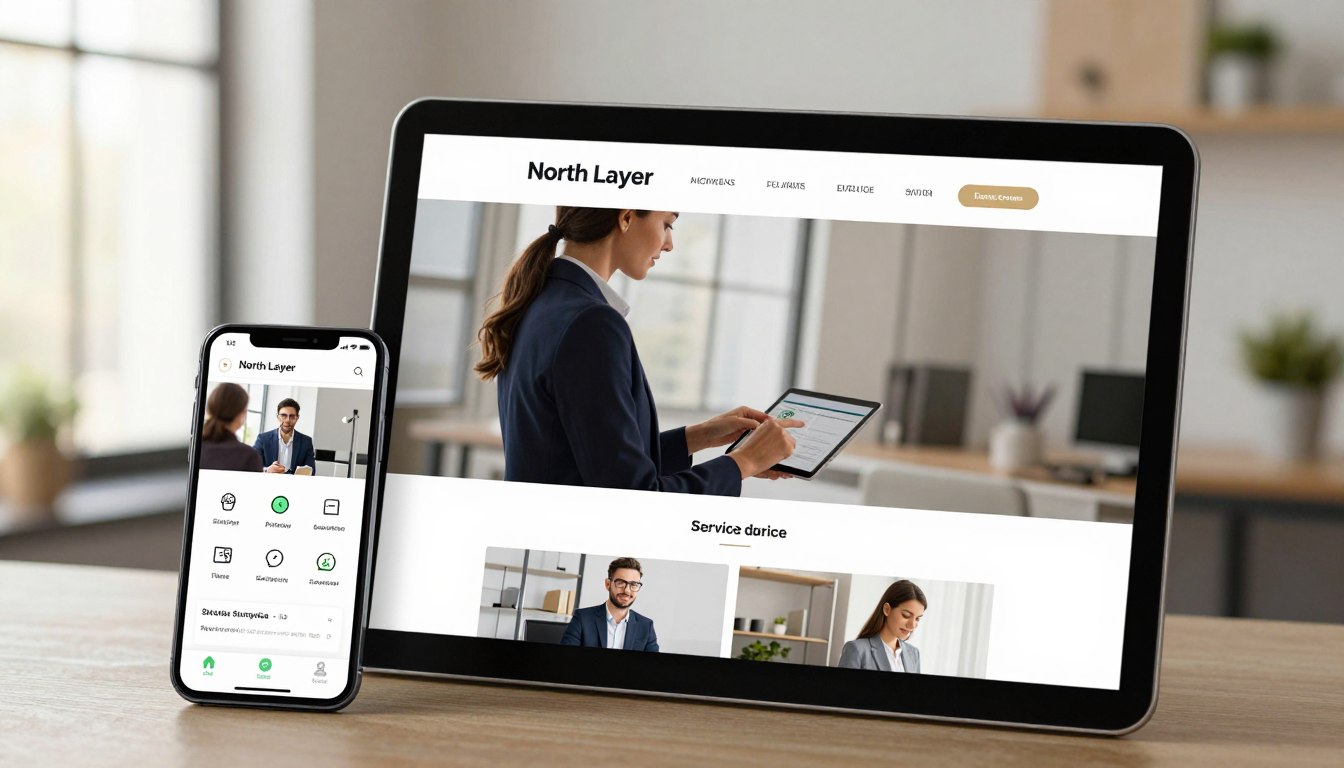
Many business owners see their online presence as just a digital brochure. They focus on making it look good, hoping that will help it grow. But a great lead generation website does more than just show off. It guides your future clients toward a clear goal.
The difference between a good site and a great one often comes down to purpose. When your service page design is clear and simple, you know exactly what your visitors need. This makes it easy for them to take the next step and website conversion happens naturally.
By building trust and making it easy to take the next step, you draw in the right people. Your website should be a helpful guide, making it easy for visitors to find your solution to their problems.
Key Takeaways
- Move beyond aesthetics to focus on user guidance.
- Transform your site from a brochure into a conversion tool.
- Use clear messaging to build immediate trust with visitors.
- Simplify the path to action to increase engagement.
- Focus on attracting high-quality leads, not just traffic.
Understanding the Importance of Service Page Design
A good website service design does more than list what you offer. It’s like a digital storefront that guides visitors toward a specific goal. When done right, it turns a curious browser into a committed client.
Many businesses treat these pages like static brochures. But we see them as active tools for growth. By focusing on clarity and intent, you make sure every visitor knows how you can solve their problems.
How a Well-Designed Service Page Impacts User Experience
The user experience on your site affects how long visitors stay and if they trust your brand. A cluttered or confusing layout can lead to high bounce rates. When navigation is easy, users feel confident in finding what they need.
A clean design helps visitors process information without feeling overwhelmed. To improve the flow, consider these elements:
- Logical hierarchy that highlights your most popular services first.
- Fast loading speeds that prevent frustration.
- Clear, readable typography that guides the eye naturally.
When you prioritize the user experience, you make the decision-making process smoother. This creates a professional environment where customers feel supported, not sold to.
The Role of Service Pages in Lead Generation
A conversion-focused website sees every service page as a key engine for lead generation. Instead of just listing features, your content should highlight the benefits and outcomes your clients get. This change turns a passive page into a proactive sales asset.
To get the best results, make sure your pages have clear paths for visitors to take the next step. A conversion-focused website uses strategic placement of contact forms or booking buttons to capture interest right away. By aligning your design with your business goals, you make lead generation a predictable, repeatable process.
Essential Elements of an Effective Service Page
A professional service page layout connects curious visitors with loyal clients. When someone visits your page, they should quickly understand what you offer and why it’s important. We aim for a clean, easy-to-use design that helps users make a decision without hassle.
Clear and Concise Headlines
Your service page headlines are the first thing visitors see. A good headline clearly states your main benefit in simple words. Stay away from tricky language that might confuse people. Instead, focus on what your service can do for them.
Great headlines tackle the user’s main problem head-on. By clearly showing how you solve a problem, you gain trust right away. This makes it easy for visitors to decide if you’re the right solution for them.
Engaging Visuals and Graphics
Visuals should enhance your message, not get in the way. Good images or graphics make text-heavy areas easier to read. Use pictures that show your team at work or the results of your services.
Speed is key for a good user experience. Big, slow-loading images can make your site slow and annoy visitors. Keep your graphics small to ensure your page loads fast on all devices.
Compelling Calls-to-Action
Every service page needs clear calls to action that tell visitors what to do next. Whether it’s to get a quote, book a meeting, or start a chat, the button should be easy to find. Use language that’s helpful, not pushy.
To boost conversions, place these buttons in key spots on the page. Add trust signals like client testimonials or certifications near your calls to action. These small touches help visitors feel confident in choosing your business.
Designing for Your Target Audience
A successful top service page design starts with knowing your search intent. When people visit your site, they’re looking for answers. If your page doesn’t meet their needs, they’ll leave for someone else.
Identifying Your Ideal Customer
To make a great page, you need to know your target audience. Think about who they are, their problems, and what makes them want your service. By knowing your typical client, you can talk directly to them.
Look at your current clients to find patterns. Are they busy professionals or budget-conscious homeowners? Knowing this helps you focus on what they care about most.
Tailoring Content to Meet User Needs
Once you know your visitors, you must meet their customer needs. A good page answers questions quickly to help them decide. Being clear builds trust and gets them to act.
Make sure your content covers these key points:
- Pricing: Be clear about costs or how to get a quote.
- Location: Tell them where you serve to avoid confusion.
- Guarantees: Show you’re committed to quality and satisfaction.
- Timing: Give realistic expectations for when you can start.
Adapting Design for Different Industries
What your page needs changes based on your industry. A plumbing business is different from a high-end car repair shop. You need to adjust your design to fit your service’s speed and complexity.
| Industry Type | Primary Focus | Key Conversion Goal |
|---|---|---|
| Local Services | Proximity and Trust | Phone Call or Quote |
| Automotive | Technical Expertise | Service Appointment |
| Professional Consulting | Authority and Results | Consultation Booking |
For example, businesses that need appointments should highlight their booking calendar. Local services should focus on easy contact and clear maps. Designing for your industry ensures visitors find what they need.
Optimizing Service Pages for SEO
Effective service page optimization connects what your customers need with what search engines value. By focusing on clarity and relevance, you keep your business visible to those looking for your expertise.
Keyword Research Best Practices
Understanding your clients’ language is key to optimization. Instead of using high-volume terms without context, aim for phrases that show specific user intent.
- Identify long-tail keywords that describe your specific service outcomes.
- Look for natural variations that sound conversational.
- Use tools to uncover questions your audience asks during their research phase.
By naturally integrating these terms, you boost search visibility without making content feel forced. Quality content always wins over keyword density.

On-Page SEO Techniques
Your page structure is like a roadmap for search engines. Clear, descriptive headings help crawlers understand your information’s hierarchy, a key part of on-page SEO.
“Search engines are basically answer engines. If you provide the most helpful, direct response to a user’s query, you earn the top spot.”
To excel at answer engine optimization, directly address common questions in your text. Also, use internal links to connect your service pages to relevant blog posts or case studies. This keeps visitors engaged and shows search engines your site is a thorough resource.
The Importance of Mobile Optimization
Most people will find your services on their smartphones. If your page is hard to navigate on a small screen, you might lose leads before they even see your headline.
Mobile optimization is now essential, not optional. Make sure your buttons are easy to tap and your text is readable without zooming. A smooth mobile experience builds trust and encourages users to move forward.
Crafting Persuasive Content for Service Pages
The words on your service page are key to your brand’s promise. By focusing on optimized service page design, each sentence has a purpose. It guides the reader toward a decision. Clear language helps visitors see how your expertise solves their problems.
Tips for Writing Compelling Service Descriptions
Great service descriptions show the transformation your client gets, not just tasks. Use simple, direct language to avoid confusion. A good description answers three key questions right away:
- What specific value is included in this service?
- Who is this service designed to help most?
- What are the immediate next steps to get started?
Focus on the desired outcome to help the reader see success. Avoid jargon that might confuse new prospects. Speak to them as a trusted partner who gets their goals.
Using Testimonials to Build Trust
Prospective clients often hesitate before reaching out. Customer testimonials help by showing social proof. Real people’s positive experiences validate your claims and make working with you seem safer.
“Working with this team transformed our workflow and saved us hours of manual labor every single week.”
Put these endorsements near your call-to-action buttons to boost confidence. Authenticity is key; make sure testimonials highlight specific results, not just praise.
Addressing Common Customer Pain Points
Your content should show you get the customer pain points that keep them up at night. By naming these struggles, you show empathy and offer a solution. This builds a strong connection before they even contact you.
Structure your content to acknowledge the problem, then offer your solution. This proactive communication reduces uncertainty. It makes the inquiry process feel helpful and natural. By tackling these issues head-on, you show you’re ready to meet their specific needs with care.
Integrating Multimedia into Service Page Design
Adding multimedia elements can make complex services clearer. When done right, these elements turn a simple page into an engaging experience. This helps visitors make a choice. But, it’s important to add value, not just for show, as too many files can slow down page speed.
A modern service page design needs to balance looks and speed. Focus on media that supports your main message and helps clients understand your service.
The Power of Video in Engagement
Video is great for building video engagement and trust. A short, professional video can explain a service quickly, saving readers from long text. It lets you show your personality and expertise in a way text can’t.
To keep things fast, host your videos on sites like YouTube or Vimeo and embed them. This keeps your server running smoothly. Make sure the video fits the service you’re talking about to keep focus.
Infographics as Informational Tools
Infographics are perfect for complex processes or data-heavy services. They show the journey from start to finish in a clear way. This visual tool helps users understand your value quickly.
Make sure your infographics are easy to read on mobiles. If the text is too small, it will annoy users and miss the mark. Use infographics to highlight key benefits or unique steps in your service.
High-Quality Images to Enhance Appeal
Using optimized images keeps your site looking professional without slowing it down. High-res photos of your team or work create a personal connection. Always compress your images to ensure they load fast, as slow sites can lose visitors.
Use images to break up text and guide the eye to your call-to-action buttons. Avoid generic stock photos that don’t show your business. Real images build trust and show what you offer.
| Media Type | Primary Benefit | Performance Impact |
|---|---|---|
| Embedded Video | High engagement and trust | Low (if hosted externally) |
| Infographics | Simplifies complex data | Medium (requires compression) |
| Custom Photography | Builds brand authenticity | Low (if properly sized) |
The Role of User Feedback in Design Improvements
Your work on service landing page creation doesn’t stop when you publish. A successful digital strategy sees a website as a project that grows over time. By watching how people use your site, you can make it better.
Collecting Feedback from Visitors
Getting user feedback is key for any business. When you ask visitors what they think, you learn things numbers can’t show. You might find out your contact form is hard to use or your main offer is unclear.
Use simple tools to get this feedback:
- On-page surveys that pop up when a user is leaving.
- Direct emails to customers who made a purchase.
- Feedback widgets for reporting bugs or unclear text.
Analyzing User Behavior with Analytics
Direct feedback tells you why, but website analytics show you what. By looking at your traffic data, you can see where visitors lose interest. High bounce rates often mean the content or navigation is off.
Look for patterns in your data to find common problems:
- High drop-off rates on long, complex forms.
- Low click-through rates on main call-to-action buttons.
- Short session durations that suggest the page layout is unappealing.
Iterative Design: Making Continuous Improvements
The process of iterative design lets you make small, smart changes. Instead of a big redesign, focus on small updates that fix specific issues. This method is safer and shows which changes work best.
Structured conversion testing is key to this process. By changing one thing at a time, like a headline or button color, you can see the impact. This methodical approach makes your website better with each update.
| Method | Primary Benefit | Best For |
|---|---|---|
| User Surveys | Qualitative Insights | Understanding user intent |
| Heatmaps | Visual Behavior | Identifying layout friction |
| A/B Testing | Quantitative Data | Optimizing conversion rates |
| Analytics Review | Performance Trends | Tracking long-term growth |
Measuring Success of Your Service Page
Tracking the right data makes your service page a key driver for business growth. By focusing on website performance metrics, you understand how well your content connects with clients. This clarity helps you move from guessing to a strategy based on real user actions.
Key Metrics to Track
To see if your page is effective, look beyond just traffic numbers. Focus on meaningful outcomes like completed contact forms, direct calls, and scheduled meetings. These actions show visitors who are serious about engaging with your business.
Effective inquiry tracking shows you which sources bring the most valuable leads. By monitoring these interactions, you can pinpoint which parts of your page encourage users to act. This is key to service page conversion optimization.

Understanding Conversion Rates
Your conversion rate shows the percentage of visitors who take a desired action, like asking for a quote or booking a meeting. A good rate means your messaging meets your audience’s needs. A low rate often means a gap between what users want and what your page offers.
To boost your conversion rate, make small, steady changes. Try tweaking headlines or call-to-action buttons to see more inquiries. Even small tweaks can lead to big improvements in your business.
Tools for Monitoring Performance
Using the right tech is key for accurate inquiry tracking. Standard analytics give a broad view, but specialized tools offer deeper insights. These are essential for ongoing service page conversion optimization.
Heatmaps and form-tracking software are great for seeing where visitors click and where they might leave. These website performance metrics help you make informed design choices. With the right data, you can refine your pages to better serve your customers and increase revenue.
Keeping Up with Design Trends in Service Pages
The world of web design is always changing. It’s important to know what’s here to stay and what’s just a trend. Your service page’s main goal is to turn visitors into leads. Focus on making your page better in ways that really matter, not just on looks.
Current Trends to Consider
Today, users want a smooth experience on any device. A mobile-first design is now a must. It makes sure your key info is easy to find, no matter the device.
Speed is key to keeping visitors interested. Fast-loading websites keep people around, while slow sites lose them fast. Also, making your site accessible to all helps your reputation and search rankings.
Future Predictions for Service Page Design
Soon, we’ll see more personalization in service pages. They’ll change their content based on who’s visiting. This makes the experience feel more personal and relevant.
Voice search will also become more important. As more use voice assistants, your site’s content needs to sound natural and answer questions well. Being ready for this change will keep you ahead.
Best Practices for Staying Updated
Keeping up with digital changes can feel overwhelming. Here are some practical tips to stay current without wasting time:
- Review your analytics monthly to see how users interact with your site.
- Test new features small before making them site-wide.
- Prioritize user feedback over trends to solve real problems.
- Monitor conversion rates to see if design changes help your business grow.
By using data to guide your updates, you make sure each change has a purpose. The best service pages evolve with their users, not just follow trends.
Conclusion: Creating Service Pages That Convert
Your website is like a digital store for your business. To turn casual visitors into leads, focus on what they want and make it easy to find. Clear messages and design help guide visitors to take action.
Reviewing Your Core Strategy
Good converting service pages build trust and are simple. Check your forms, how they look on mobile, and your call-to-action buttons. Even small changes can make a big difference in your marketing success.
Taking Practical Steps Forward
Improving your website is a journey of testing and learning. Look at your data to see where people get stuck. Make changes that solve problems for your customers to keep your content relevant.
Committing to Continuous Growth
We think small, steady updates are best for small business owners. Start by tweaking one page element this week. By focusing on a better user experience, you’ll get more inquiries and use your marketing budget wisely.



