

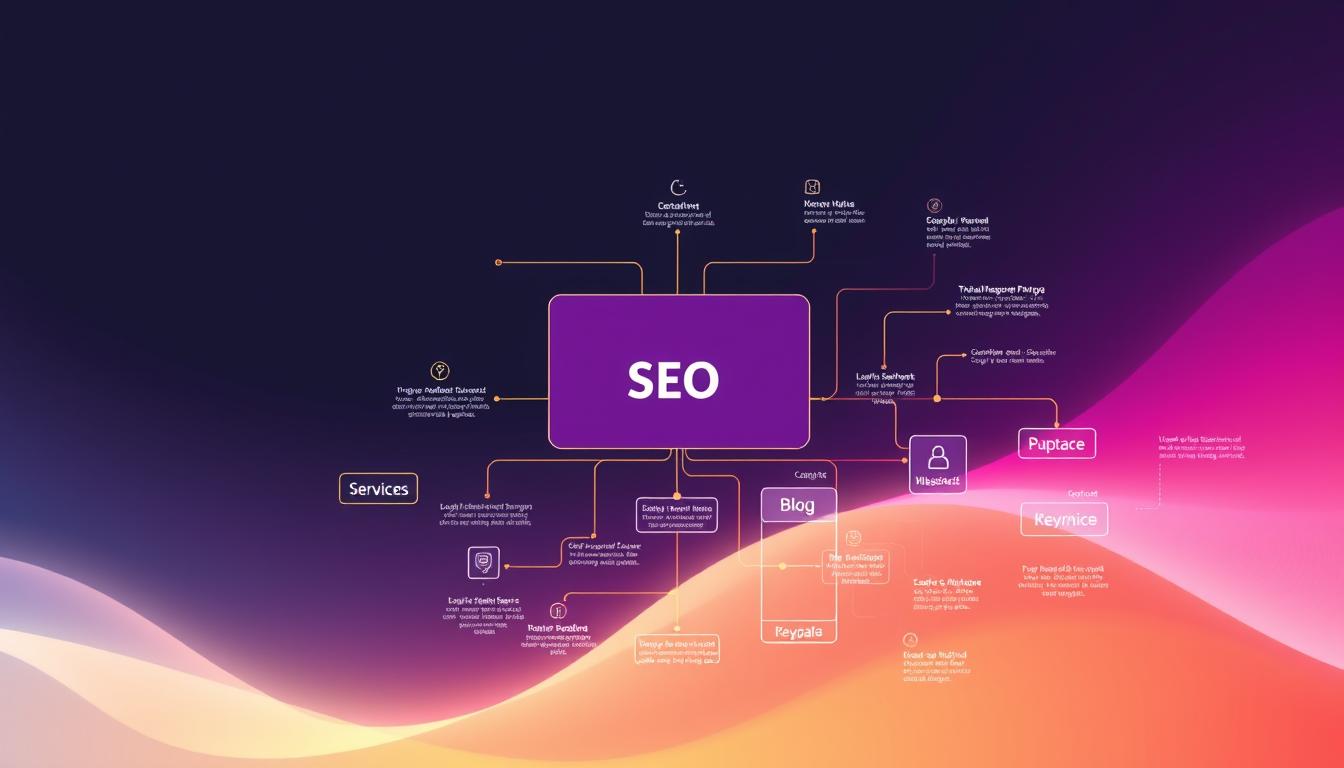
Fact: Nearly 60% of small business pages get little to no traffic because their site lacks a clear layout that users and search systems can follow.
Good organization changes that. Daria Chetvertak at SE Ranking says a carefully crafted website structure turns messy pages into a site people enjoy using. Valerii Khomenko adds that professional page optimization needs a solid grasp of how Google reads and ranks content.
A clear site structure acts like a blueprint. It helps search engines and AI search tools find your best pages and shows users where to go. Clean navigation, logical categories, and sensible linking make pages easier to index and simpler to explore.
For small businesses, this is practical. We help owners plan a durable layout that supports growth, improves conversions, and cuts wasted spend. A mapped hierarchy and tidy sitemap or XML feed make a measurable difference in results.
Key Takeaways
- A clear website structure helps both users and search systems find important pages.
- Proper layout boosts indexing and improves discoverability in results.
- Simple navigation and linking reduce user friction and lift conversions.
- Experts recommend mapping pages and maintaining an XML sitemap for long-term health.
- We focus on practical, affordable fixes that improve traffic and ROI for small businesses.
Understanding the Fundamentals of Website Structure
A simple hierarchy helps both people and search tools find the right page fast.
What site structure means: It is the organization and interconnection of all pages on a site. This covers navigation, links, and how content groups fit together.
Defining Site Architecture
Think of the layout as a pyramid. The homepage sits at the top. Below it are categories, then subcategories, then individual pages.
This layout makes URLs predictable and helps crawlers index content. A clear hierarchy also keeps users from getting lost.
The Role of Navigation
Navigation menus are the primary guide for visitors. Good menus make important pages reachable within three clicks.
- Site structure serves as a roadmap for crawlers and users.
- Logical categories let visitors find products or information quickly.
- Defining your structure early prevents a random collection of pages.
Practical win: A planned layout reduces bounce rates, makes adding new pages simple, and improves results from search engines.
Why SEO Website Structure is Critical for Search Visibility
Visibility in search depends on making important pages easy to reach and understand.
Search engines favor a clear layout because it speeds crawling and indexing. When every page is reachable within three clicks, bots and users spend less time hunting for information. That improves discoverability and lifts rankings.
A tidy hierarchy also reduces keyword cannibalization. Each page can serve a unique purpose. That prevents similar pages from competing against one another for the same terms.
- Logical navigation helps crawlers map your content fast.
- Strategic use of internal links distributes authority to priority pages.
- Well-placed categories and a sitemap increase the chance of sitelinks showing in results.
We help owners tune their layout so a search engine can spot high-value pages. That leads to better click-through rates and more qualified visits from users.
| Issue | Fix | Result |
|---|---|---|
| Deep pages (>3 clicks) | Reorganize into clear categories and add internal links | Faster indexing, higher visibility |
| Keyword overlap | Define unique page intent and update content | Reduced competition, stronger rankings |
| Poor navigation | Improve menus and breadcrumbs | Better user experience and lower bounce |
Core Benefits of a Well-Organized Site Architecture
Well-organized pages guide visitors from discovery to purchase with less friction. A clear layout reduces steps, so users find products or information faster.
Impact on User Experience
Good navigation matters. When menus, categories, and links are logical, users stay longer and take action more often.
That improves conversion rates. People who can find a product or contact form complete a purchase or send an inquiry more frequently.
- A clear site map helps search engines crawl new content quickly.
- Organized pages reduce user frustration and lower bounce rates.
- A predictable hierarchy makes adding products or blog posts easy without breaking the flow.
“A tidy layout is a direct path to better results and higher conversions.”
We build layouts that point visitors to important pages and keep content fresh for engines to index. That approach protects long-term ROI and makes scaling painless.
Common Models for Structuring Your Content
Different content models solve different business needs, from small brochures to massive catalogs. Choosing the right model affects findability, page count, and ongoing management.
Hierarchical Models
The hierarchical model arranges content in a clear tree: homepage, categories, subcategories, then pages.
This model scales well for large sites and e-commerce stores. It keeps URLs predictable and helps crawl efficiency.
Flat Structures
A flat model works best for small businesses with fewer than ten pages. It minimizes clicks and speeds user journeys.
Use a short navigation and a simple sitemap. This keeps important pages within one or two clicks.
Database-Driven Approaches
Database-driven sites generate pages dynamically from templates and queries. They are ideal for large catalogs like Amazon or Netflix.
This model supports personalization and vast product inventories. It requires careful URL rules and internal linking to avoid duplicate content.
Analyzing Competitor Strategies for Better Rankings
Reverse-engineering top-performing pages uncovers the navigation and content patterns that work.
We use tools like SE Ranking to compare three rivals and spot semantic overlaps. That reveals which pages rank in Google’s top 100 and which keywords drive traffic.
What this shows: the number of sections they use, how categories link to the homepage, and which URLs collect the most visits.
Armed with that data, North Layer recommends specific changes. These include copying successful linking flows, adding a sitemap, and reshaping category labels to match user intent.
Understanding competitor navigation paths also helps design a cleaner user experience. When users reach information faster, engagement and conversions rise.
| Focus | What to Analyze | Action |
|---|---|---|
| Top pages | Traffic share and keywords | Prioritize similar content and unique angles |
| Sections & categories | How pages group and link | Mirror helpful patterns; simplify labels |
| Navigation paths | User clicks to key pages | Reduce clicks, add clear links and breadcrumb trails |
Keyword Research as the Foundation of Your Hierarchy
Start with the queries your customers actually use; those terms should map to real pages.
North Layer begins by collecting relevant search queries with tools like SE Ranking’s Keyword Search and Google Keyword Planner. This reveals which terms users type and which domains rank highest for them.
The team then groups similar queries with a Keyword Grouper. That clustering makes it easy to assign terms to specific pages and to design clear categories.
- Focus on intent, not just volume.
- Filter out irrelevant queries early.
- Map keywords to pages to avoid cannibalization.
Building the hierarchy around keyword groups helps search engines and users find key content fast. It also guides menu labels, internal links, and URL planning.
Outcome: a practical site map that improves findability, reduces wasted content, and supports better conversions.

Categorizing Pages for Intuitive Navigation
Good page categories make it simple for visitors to find related information fast. Clear groupings improve user experience and help search engines map your site. A tidy menu and sensible labels reduce confusion and speed decision-making.
Using Breadcrumbs
Breadcrumbs are clickable links that show where a user sits in the hierarchy. Place them at the top of a page so users can backtrack easily. Breadcrumbs also create extra links for search engines, which can aid indexing and display in results.
Managing Taxonomies
Group related pages into clear categories and avoid overlap. Use descriptive names so search systems and users understand page intent at a glance.
We recommend visualizing the layout with Mindmup or XMind. These tools reveal gaps and let you test internal linking before launch.
- Keep menus short: 7–8 items max to reduce choice overload.
- Balance detail: Be inclusive but avoid extra navigation steps.
- Review regularly: Update categories as new content or products arrive.
Best Practices for Maintaining a Clean URL Structure
Keep URLs short and clear so people can tell what a page is about at a glance.
Make addresses readable. Use hyphens to separate words. Avoid underscores, long ID strings, or extra characters that confuse users and search engines.
Include relevant keywords sparingly. A few well-chosen terms in a URL help search systems and users understand page content. Do not stuff terms or repeat phrases.
For multilingual sites, add a language indicator and the hreflang attribute. This tells engines which language and region each page serves and reduces indexing errors.
Keep URLs consistent with your site hierarchy. Match categories and page names to menu labels. That improves navigation and makes it easier to manage links as the site grows.
Always set proper redirects for deleted or moved pages. A 301 redirect preserves authority and prevents users from hitting 404 errors.
| Issue | Action | Benefit |
|---|---|---|
| Long, messy addresses | Shorten to descriptive slugs with hyphens | Better clarity and click rates |
| Missing hreflang | Add language tags per URL | Correct regional indexing |
| Deleted pages | Implement 301 redirects | Avoid 404s and preserve traffic |
Leveraging Internal Linking to Distribute Authority
Smart internal linking turns isolated pages into a connected map that guides both users and crawlers. This helps surface your important pages and shapes how search engines view the site.
Start by identifying cornerstone articles. These are the flagship pieces that should receive the most links from other pages. Use links from the homepage and high-traffic pages to signal value.
Contextual Linking Strategies
Use descriptive anchor text. Anchors should reflect the destination content so users and search engines understand the target page at a glance.
- Link related pages naturally inside paragraphs to boost discovery and keep users engaged.
- Fix orphaned pages so every page is reachable by at least one internal link.
- Use tools like Yoast Premium to suggest relevant links and speed the process.
- Limit contextual links on product pages to avoid drawing users away from checkout.
| Action | Why it matters | Result |
|---|---|---|
| Link homepage to cornerstone articles | Signals priority to search engines | Better ranking potential for important pages |
| Audit and fix orphan pages | Ensures crawlers can reach all pages | Improved index coverage |
| Use descriptive anchors | Clarifies intent for users and engines | Higher click-through and relevance |
We distribute link equity with a clear plan. That strengthens key pages and supports the overall website structure without overloading navigation.
Essential Tools for Auditing and Improving Your Site
Use a mix of crawlers and analytics to map how users and engines find pages.
Google Search Console reveals crawling and indexing issues. It flags pages that fail to index and shows which queries drive visits.
Screaming Frog crawls the site to list broken links, duplicate content, and orphan pages. Ahrefs Site Audit gives a health score and highlights internal linking gaps.
SEMrush complements these tools by prioritizing fixes based on impact. XML sitemap generators make sure all important pages are listed for engines.
For planning, wireframing tools like Figma or Lucidchart help design a clear site structure before development. Google Analytics tracks navigation paths and user behavior so fixes target real problems.
North Layer also uses CMS plugins like Yoast to simplify internal linking and sitemap creation. Regular audits keep the layout healthy as content grows.
“Run audits often. Small fixes prevent big traffic losses.”

| Tool | Primary Use | Key Benefit |
|---|---|---|
| Google Search Console | Indexing & crawl errors | Shows pages blocked from search |
| Screaming Frog | Site crawl for links and duplicates | Finds broken links and orphan pages |
| Ahrefs Site Audit | Health checks and link distribution | Presents internal linking gaps |
| Google Analytics | User paths and behavior | Prioritizes navigation fixes |
Adapting Your Architecture for AI Search and User Intent
Modern search systems read context; they expect pages to connect logically.
Understand intent first. Users come with different goals: quick answers, product comparisons, or ready-to-buy queries. Map pages to those intents so each landing page matches what people want.
AI algorithms now link related words and concepts. That makes the context around your links as important as the links themselves. Use clear headings and concise copy so machines and users can tell a page’s purpose fast.
We adapt a site’s layout to match how engines parse content. That includes focused landing pages, intentional internal linking, and tidy navigation labels. These moves help pages appear in relevant search results.
- Analyze queries and shape pages for intent-driven outcomes.
- Use Google Search Console to track performance and fix gaps quickly.
- Prioritize link context so AI understands relationships between pages.
Outcome: clearer signals for search engines, better matches for users, and higher chance of appearing in modern search results.
Avoiding Common Pitfalls in Site Organization
Small errors in how pages are named or linked can quietly erode traffic and trust.
Clear labels and tidy links matter more than flashy design. Vague category names, duplicate content, and missing redirects often create churn and lost visits.

One case study showed a small business that reorganized into a logical hierarchy saw organic traffic rise 35% in three months. That change fixed confusing labels, consolidated duplicates, and added proper redirects.
- Avoid keyword cannibalization by assigning a single intent to each page.
- Never delete a page without a 301 redirect to preserve links and users.
- Fix duplicate content so engines and users see one clear version.
- Audit regularly to remove broken links and simplify navigation.
- Use Google Search Console to spot crawl issues before they grow.
| Problem | Action | Benefit |
|---|---|---|
| Unclear category names | Rename to match user intent | Faster discovery, lower bounce |
| Deleted pages without redirects | Implement 301 redirects | Preserves traffic and link equity |
| Duplicate content | Consolidate or canonicalize pages | Improved index clarity and rankings |
| Too many navigation steps | Simplify menus and internal links | Better engagement and conversion |
We guide owners to keep a balanced site structure and clear internal linking. Small fixes prevent big losses and unlock steady growth.
Conclusion
Organizing pages around real user goals makes discovery faster and reduces wasted effort.
A well-organized website structure is the foundation of a healthy online presence. It improves search visibility and helps visitors find the right content quickly.
We help small businesses build a clear site hierarchy so important pages are easy to reach. That work makes crawling and indexing more efficient and supports better rankings.
Our team audits your layout, fixes gaps, and delivers practical changes that improve ROI. Take the first step today to cut wasted spend and get clearer marketing results.



