


Many business owners think more traffic means more sales. But, sending thousands of visitors to a page that doesn’t engage them wastes your budget. If your website isn’t converting, it’s not about the number of visitors.
The real problem is often in how users experience your site. Maybe your message is unclear, your calls to action are weak, or your layout is confusing. By improving your website conversion optimization, you can turn visitors into loyal customers without spending more on ads.
We help you find and fix the issues that slow your growth. By making your path to purchase smoother, you build trust and encourage action. Let’s explore the key fixes to help your business succeed.
Key Takeaways
- Traffic volume does not guarantee revenue if your user experience is flawed.
- Prioritize fixing your site’s usability before increasing your advertising spend.
- Clear messaging and strong calls to action are vital for guiding visitors.
- Trust signals and fast performance significantly impact your bottom line.
- Small, strategic adjustments often yield better results than broad marketing campaigns.
Identify the Signs of Low Conversion Rates
If your website gets more visitors but sales don’t grow, you face a conversion issue. Many think more traffic solves the problem. But, website conversion optimization is key to turning visitors into paying customers.
Spotting when your site isn’t doing well is the first step to growth. We guide owners to look beyond just numbers to see real site performance.
Common Indicators of Poor Performance
A good small business website converts 1% to 3% of visitors. If your rate is under 0.5%, it’s a sign your website not converting visitors well. This means users aren’t moving forward, like buying or inquiring.
Low engagement is another warning sign. If visitors quickly leave, they’re not finding what they need. High bounce rates mean your message doesn’t match what your audience wants.
Analyzing Traffic vs. Conversions
Don’t just look at visitor numbers. Check the quality of your traffic by examining sources and pages. If ads bring in many who don’t act, you’re wasting money.
For real website conversion optimization, dive into user behavior. Track where visitors come from and which pages they visit before leaving. Knowing where your website not converting lets you make smart changes.
Understanding Your Target Audience
To improve website conversion rate, knowing your audience is key. Many guess what visitors want, but data shows the real path. Aligning your message with what your prospects need can boost sales.
Conducting Market Research
Good research doesn’t need a big budget or fancy tools. Look at your customer support questions to find common problems. Also, check out what competitors are missing to see where you can shine.
Google Search Console shows what terms your audience searches for. This direct feedback lets you write in your customers’ language. When you speak their language, they feel understood, leading to higher conversion rates.
Creating Customer Personas
A customer persona is a simple profile of your ideal buyer. You don’t need to make it complicated. Just focus on their goals, worries, and online habits.
Use these personas to guide your site’s design and content. Writing for a specific person makes your message more persuasive and relevant. This clarity helps visitors see why your offer is right for them.
Identifying Pain Points
Visitors come to your site seeking a solution to a problem. If they don’t see how your product solves it quickly, they’ll leave. You must clearly show how you address their specific pain points to keep them interested.
Linking your offer to their frustrations is the best way to improve website conversion rate. When they see you understand their challenges, trust grows. This trust turns a casual browser into a committed customer.
Assessing Website Design and Usability
Even the best offer won’t work if your website is hard to use. When visitors can’t find their way, they leave. Usability is key to making sales online.
Importance of a User-Friendly Interface
A simple, easy-to-use site is vital. Visitors should see your main call-to-action right away. A messy site or confusing menu can lose you customers.
Make your site easy to follow with a clear layout. Use lots of white space to keep it clean. When users feel in control, they’re more likely to buy or sign up.
Mobile Responsiveness
Most visitors come from mobile devices. If your site doesn’t work well on small screens, you’re losing money. A responsive design makes sure everything works great on mobile.
Search engines now focus on mobile versions of sites. By making your mobile site better, you boost website conversion and get seen more online. Make sure your forms are easy to fill out on a phone.
Load Times Matter
Speed is very important today. A one-second delay can cut conversions by nearly 7%. Users expect fast sites and won’t wait for slow ones.
To speed up your site, compress images and cut down on scripts. A fast site builds trust and keeps visitors interested. Here’s how different usability factors affect your sales.
| Usability Factor | Impact on User | Conversion Result |
|---|---|---|
| Page Load Speed | Reduces bounce rate | Higher retention |
| Mobile Layout | Easier navigation | Increased sales |
| Clear CTAs | Reduces confusion | More sign-ups |
| Simple Forms | Saves time | Lower abandonment |
Crafting Compelling Calls-to-Actions (CTAs)
Getting visitors to take a specific action is key to website conversion optimization. When someone visits your site, they shouldn’t wonder what to do next. A clear call to action removes doubt and moves them closer to buying.
Strategies for Effective CTAs
The words on your buttons and links must match what the user wants. For example, a “Request a Quote” button works better than “Submit” on a service page. Specificity creates clarity, which leads to action.
Choose strong verbs that tell users what they’ll get. Say “Book Your Consultation,” “Download the Guide,” or “Start Your Free Trial.” This promise of value boosts your website conversion optimization.
Placement and Visibility
Even great copy won’t work if the button is hard to find. Put your main calls-to-action where they’re easy to see, like above the fold or at section ends. Visual contrast is key; make your button color pop.
Don’t fill the area around your CTA with too many links or distractions. Use space to focus the user’s attention on your action. A clean layout keeps your message front and center.
A/B Testing Your CTAs
Designing buttons based on personal taste is risky. Data is a better guide. A/B testing lets you compare different CTAs to see which works best. Try changing the wording, button color, or placement.
Testing these elements helps you improve based on real user behavior. This ongoing process is essential for website conversion optimization. Small, data-driven tweaks can greatly increase your conversion rates over time.
Optimizing Content for Conversion
If visitors can’t get what you offer in five seconds, they’ll leave. Your website content is like a digital salesperson. It must show value quickly to increase website conversions. Clear messaging makes it easier for people to say yes.
Importance of Clear Value Propositions
A value proposition tells how your product solves a problem. It focuses on the benefits the customer gets, not just features. Visitors should see why your solution meets their needs right away.
Avoid vague corporate jargon. Use direct language that speaks to what the customer wants. A clear, benefit-led statement is key to increase website conversions.
Engaging Headlines and Subheadings
Most users scan before they read. Bold, benefit-driven headlines grab their attention. Descriptive subheadings help readers understand your offer quickly.
- Use active verbs to drive action.
- Keep sentences short and punchy.
- Break up long blocks of text with bullet points.
Utilizing Testimonials and Reviews
New visitors may feel unsure about your brand. Showcasing real feedback from clients builds trust. These testimonials act as social proof, making visitors feel less risk and increase website conversions.
| Content Element | Weak Approach | Strong Approach |
|---|---|---|
| Headline | Welcome to our site | Save 10 hours a week on accounting |
| Subheading | Our services | Automated tools for small businesses |
| Social Proof | None | Featured client success stories |
| Call to Action | Click here | Start your free trial today |
Enhancing SEO for Better Traffic

Aligning your search presence with user intent is key to improving your website conversion strategies. Many business owners think more traffic means more sales. But, the goal is to attract visitors who are actively looking for what you offer.
When your content matches what a user is searching for, they are more likely to engage with your brand. We focus on quality over quantity to ensure every click has the chance to become a loyal customer.
Keyword Research Best Practices
Effective research starts by finding terms that show a high intent to purchase. Instead of targeting broad, competitive terms, look for long-tail keywords that describe exactly what your business offers.
Search intent is the secret to success here. Ask yourself if the person searching for a term is looking for information or if they are ready to make a buying decision. By prioritizing these high-intent keywords, you can improve your website conversion strategies significantly.
On-Page SEO Techniques
Once you have your keywords, place them where they matter most. Start with your title tags and meta descriptions, as these are the first things a visitor sees in search results.
Use a clear heading hierarchy to make your content easy to scan for both users and search engines. Ensure that your primary keyword appears naturally in your H1 and at least one H2 tag. This structure helps search engines understand your page, while also keeping your message clear for the reader.
Improving Backlink Profile
Backlinks act as a vote of confidence from other websites. But, not all links are created equal. A few links from reputable, industry-relevant sites are worth far more than hundreds of low-quality links.
Focus on building relationships with partners or creating content that others naturally want to cite. This approach strengthens your authority and drives qualified traffic that aligns with your website conversion strategies.
| SEO Tactic | Primary Benefit | Impact on Conversion |
|---|---|---|
| Long-tail Keywords | Higher relevance | Increased lead quality |
| Meta Descriptions | Better click-through | More targeted traffic |
| Internal Linking | Improved navigation | Lower bounce rates |
| Quality Backlinks | Higher authority | Greater brand trust |
Evaluating Your Sales Funnel
Your sales funnel is like a digital map that leads people to buy from you. By seeing your website as a series of steps, you can improve your website conversion strategies. This view helps you spot where visitors might get lost or lose interest.
Understanding the Stages of Your Funnel
Every customer’s path has clear steps. It starts with awareness, when they first find your brand. Then, they move to consideration, where they check if your products solve their problems.
After that, they might make a purchase or book a service. A good funnel also has a follow-up phase to encourage more business. Knowing these stages helps you tailor your messages to meet users where they are.
Identifying Drop-Off Points
Drop-off points are where users leave your site before reaching their goal. You might see high exit rates on certain pages or during checkout. These are friction points that stop your business from growing.
To find these leaks, check your analytics for where traffic drops. If users often leave a page, it might mean the content or tech isn’t up to par. Fixing these gaps is key to successful website conversion strategies.
Strategies to Enhance User Journey
To improve the user journey, focus on simplicity and clarity. Remove unnecessary steps and clicks. Streamline your navigation and use logical links to guide users.
Use consistent prompts and clear calls-to-action to help users reach their goal. By making it easier to buy or inquire, you’ll boost your conversion rates. Use the table below to see where your funnel might be losing money.
| Funnel Stage | Common Friction Point | Improvement Strategy |
|---|---|---|
| Awareness | High bounce rate | Improve page load speed |
| Consideration | Lack of clear value | Add social proof and testimonials |
| Conversion | Long, complex forms | Reduce fields to essentials |
| Follow-up | No post-purchase email | Automate thank-you sequences |
Leveraging Social Proof
When visitors come to your site, they look for signs that show your business is trustworthy. Almost nine in ten users might not come back if they don’t feel safe. By sharing real customer stories, you can make more sales and make people feel more comfortable buying from you.
Building Trust with Reviews
People often check what others say before buying. Showing recent, verified reviews near your checkout or service pages can help. It’s important to be honest and show both good and bad feedback. This makes your site feel more real to today’s shoppers.
Highlighting testimonials that solve common problems can really help. When someone sees how your service helped someone else, they’re more likely to buy. This simple trick can make more people buy from you by removing their doubts.
The Power of User-Generated Content
Visual proof is very powerful for building trust. Sharing customer photos, project examples, or short videos lets people see your work. This kind of content shows your quality in a way words can’t.
Adding these elements to your site makes it feel like a community. When people see others using your brand, they feel more at ease. Use the table below to see how different types of social proof can help you sell more.
| Type of Proof | Primary Benefit | Best Placement |
|---|---|---|
| Written Reviews | Builds general trust | Product/Service pages |
| Customer Photos | Provides visual evidence | Gallery or Checkout |
| Case Studies | Demonstrates expertise | Landing pages |
| Video Testimonials | Increases emotional connection | Homepage hero section |
Keeping your site fresh with new user content makes your brand seem alive and relevant. This effort can lead to more sales over time. Start by adding one new piece of feedback each week to see how it affects your sales.
Creating a Seamless Checkout Process
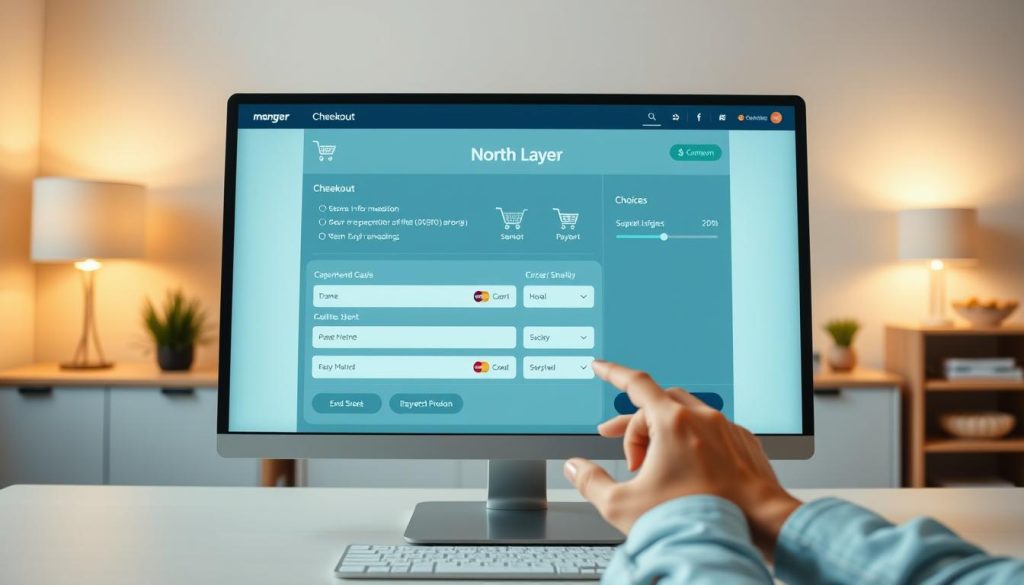
Turning a visitor into a buyer needs a smooth checkout path. When a customer gets to the checkout page, they’re ready to buy. Your job is to clear any last hurdles that might stop them. By making this final step easy, you can increase website conversions without more traffic.
Reducing Cart Abandonment
Cart abandonment often stems from a tedious checkout. To keep customers going, offer a guest checkout option. This way, users don’t have to make an account to buy. Short forms that only ask for the basics also boost website conversion rates a lot.
Being clear is key to stopping drop-offs. Always show total costs, including shipping and taxes, early. This avoids surprises. If there’s an error, give clear, helpful messages to fix it fast.
Offering Multiple Payment Options
Today’s shoppers want payment options. By providing various methods like digital wallets and credit cards, you meet their needs. This variety ensures no one leaves because their payment method isn’t available.
Security is as important as ease at this stage. Show trust badges and clear security info to reassure customers. When shoppers feel safe and the process is simple, they’re more likely to buy. This helps you increase website conversions over time.
Utilizing Analytics Tools
Data is like a compass for your digital strategy, showing where your site needs work. Instead of guessing, look at the numbers to improve website conversion rate. By seeing how people use your site, you can find what stops them from acting.
Tracking User Behavior
Knowing how visitors move is key to success. Heatmaps and session recordings show where users click and scroll. If people leave before taking action, you know where to improve.
Also, watch how visitors behave on landing pages. If they leave right away, your ad and page don’t match. Noticing these patterns helps you make your site better.
Analyzing Conversion Metrics
To enhance website conversion performance, track important actions. Start with form starts and completions to see if your process is too hard. If many start but don’t finish, you might have too many fields.
Don’t forget to watch call clicks and other small actions. These can show if you’re on the right track. Here’s a table of key metrics to watch for growth.
| Metric | What It Reveals | Actionable Insight |
|---|---|---|
| Form Completion Rate | Ease of user input | Simplify fields to boost leads |
| Call Clicks | Intent to connect | Improve button visibility |
| Bounce Rate | Page relevance | Align content with search intent |
| Revenue per Visit | Overall site value | Optimize high-traffic pages |
Making Data-Driven Decisions
After collecting data, it’s time to make smart changes. Use tools like Google PageSpeed Insights to make sure your site loads fast. Slow sites lose conversions.
Test one change at a time to see its effect. This method helps you enhance website conversion performance without guessing. By always checking your analytics, you can improve website conversion rate and make your marketing budget work better.
Testing and Iterating Your Website
Most successful businesses see their online presence as a project that grows with time. Just relying on your first design isn’t enough for lasting success. By using a methodical approach to testing, you can boost your website conversion performance over time.
A/B Testing and Multivariate Testing
A/B testing is key for fine-tuning specific parts of your site. It compares two versions of a page to see which one works better. It’s a reliable way to make choices based on real user actions, not guesses.
If your site gets a lot of visitors, you might want to try multivariate testing. This method checks many different elements at once to find the best mix for your goals. It’s more complex but gives deeper insights into how design choices affect your website conversion optimization efforts.
Importance of Continuous Improvement
The digital world changes fast, and your site needs to keep up. User needs, software updates, and search engine rules all change often. A site that doesn’t change can quickly fall behind.
We think regular testing is the only way to enhance website conversion performance all the time. By making small, data-driven changes, you avoid big mistakes. This ongoing process keeps your website conversion optimization strategy sharp, helping you get more leads and grow your income steadily.
Addressing Technical Issues

A beautiful website won’t work well if its technical base is shaky. When visitors see errors or security warnings, they doubt your brand. Fixing these problems can help boost website conversion and turn visitors into customers.
Ensuring Website Security
Online trust starts with security. A “Not Secure” warning in the browser can scare off most visitors. Getting an SSL certificate is essential to encrypt data and keep visitors safe.
Make sure all HTTP traffic goes to HTTPS. This shows search engines and visitors that your business is professional and reliable. A secure site is key to boost website conversion today.
“Trust is the currency of the digital age; without it, your conversion rates will never reach their full professional.”
Fixing Broken Links and Errors
Broken links and dead-end pages frustrate users and stop them from taking action. Check your site for 404 errors often. If a customer hits a dead end, they’re unlikely to try again.
Test your contact forms and checkout buttons often. Keeping software and plugins up to date is also important to avoid problems. By fixing these issues, you make it easier to boost website conversion for your small business.
Providing Excellent Customer Support
Great customer support is key to your website conversion strategies. When a buyer has a question, they need a quick answer. Without it, they might leave for a competitor.
Make your business easy to reach. Show your contact info clearly to build trust.
Contact Options and Accessibility
Put your contact details where users expect to find them. Make sure your phone number, email, and hours are easy to see. A map or address can help if you have a physical store.
Don’t make users search for a “Contact Us” page. Offer a direct link to your info or a simple form. This proactive approach is vital for website success.
“Customer service shouldn’t just be a department; it should be the entire company.”
Live Chat Benefits
Live chat tools offer real-time help. They can answer questions before a user leaves. But, remember to back up chat with human support for complex issues.
Always have a reliable human follow-up for chat. If a question is too complex, offer email or phone support. The table below shows how different support channels help your goals.
| Support Channel | Primary Benefit | Best For |
|---|---|---|
| Live Chat | Instant engagement | Quick questions |
| Phone Support | Personal connection | Complex issues |
| Email/Forms | Detailed tracking | Non-urgent inquiries |
By adding these support elements, you make your site easy to use. This encourages users to buy. Remember, good communication is a top strategy for small businesses.
Investing in Professional Help
Knowing when to get outside help is key for any growing business. Starting with DIY efforts is often necessary. But, there’s a point when you need specialized knowledge to enhance website conversion performance well.
Spotting this moment saves time and lets you focus on your main business tasks. If your team can’t handle the technical or strategic needs, getting outside help is a wise move.
When to Consult a Web Developer
Think about hiring a web developer if your site has ongoing tech issues. Slow loading, security problems, or broken checkout processes need a developer’s touch. They ensure your site stays user-friendly.
Also, if you need unique features or complex integrations, a developer is your go-to. They make sure your site is both scalable and secure.
Marketing Agencies vs. Freelancers
Deciding between an agency and a freelancer depends on your needs and budget. Agencies have a team for a wide range of services. This is great for a big plan to enhance website conversion performance across many areas.
Freelancers are better for specific tasks or short projects. They offer a personal touch and can be more affordable for focused work.
| Feature | Freelancer | Marketing Agency |
|---|---|---|
| Cost | Lower, project-based | Higher, retainer-based |
| Scope | Specialized/Niche | Full-service/Strategic |
| Communication | Direct/Personal | Account Manager/Team |
Your choice should match your goals. Whether it’s a freelancer or an agency, make sure they focus on what matters to your success. A good partnership will help you improve your website’s performance over time.
Conclusion: Take Action to Improve Conversions
A website not converting often signals a need for clarity, not more traffic. Your visitors might just need a smoother path to their goals. Small changes in messaging or page speed can make a big difference for your business.
Look at your current data to find the biggest obstacle in your sales funnel. Fix the most critical issues first to boost your website’s conversion rate. Testing small adjustments helps you see what works best for your audience.
Pay consistent attention to your user’s journey to build trust and encourage action. Focus on technical health and clear content to increase website conversions over time. These steps turn your existing traffic into loyal customers and boost your revenue.
We encourage you to start your first test today. Small, data-driven improvements can lead to a stronger return on your marketing investment. With the right approach, your website can become your most effective sales tool.



