


Did you know that users judge your brand in just 50 milliseconds? That quick judgment decides if they stay or leave. In today’s world, your website is often the first thing people see.
A professional small business website design is key to your growth. It’s not just a digital brochure; it’s a tool to attract customers. A clear and easy-to-use site builds trust with your audience right away.
We think that effective strategy should guide every design choice. By focusing on user experience, you can turn casual visitors into loyal customers. The right small business web solutions keep your brand competitive and profitable online.
Key Takeaways
- First impressions happen in less than a second.
- A professional site is your most important digital asset.
- Strategic layouts directly influence your conversion rates.
- Trust is built through clarity and ease of use.
- Modern tools help you turn browsers into paying clients.
Understanding the Importance of a Professional Website
In today’s digital world, having a professional website is essential for any growing business. It’s like a virtual welcome mat that’s always open, even when you’re not. A well-designed small business website design helps your brand stay competitive and reach people all over the world.
Why Every Small Business Needs a Website
A website is the heart of your marketing and brand identity. It lets you share your expertise and services freely, without social media limits. Having your own digital space helps you build lasting authority in your field.
Customers expect to find your business online before buying. Without a website, you might lose out to competitors. A good small business website design turns curious visitors into loyal customers.
The Role of First Impressions in Web Design
Psychology plays a big role in how people see your brand in seconds. Studies show visitors make an opinion fast. If your site looks old or works poorly, they’ll leave quickly.
Good design, like clear layouts and easy paths, keeps visitors interested. A clean, modern look shows you’re reliable and trustworthy. Here’s how professional design beats amateur approaches.
| Feature | Professional Design | Amateur Design |
|---|---|---|
| User Trust | High (Credible) | Low (Suspicious) |
| Navigation | Seamless and Intuitive | Confusing and Cluttered |
| Conversion Rate | Optimized for Growth | Stagnant or Declining |
| Brand Image | Authoritative | Unprofessional |
Your website is key to your small business website design strategy. It connects your services with those who need them. Quality design ensures a positive first impression, encouraging visitors to take action.
Key Elements of Effective Website Design
Creating a website that converts starts with making it easy for customers to find what they need. When visitors arrive, they look for a clear path to the information or products they want. If they can’t find it, they might leave and go to a competitor.
User-Friendly Navigation: Making It Easy for Visitors
A logical navigation system is like a roadmap for your digital store. Organizing your menu with clear labels and a simple structure helps avoid the common roadblock to sales. Intuitive design means your customers can focus on your content, not finding their way back to the home page.
To keep your site easy to use, follow these key practices:
- Limit your main menu to five or six main categories.
- Use simple, descriptive language for all navigation links.
- Add a search bar for sites with lots of content.
- Make sure your contact info is easy to find on every page.
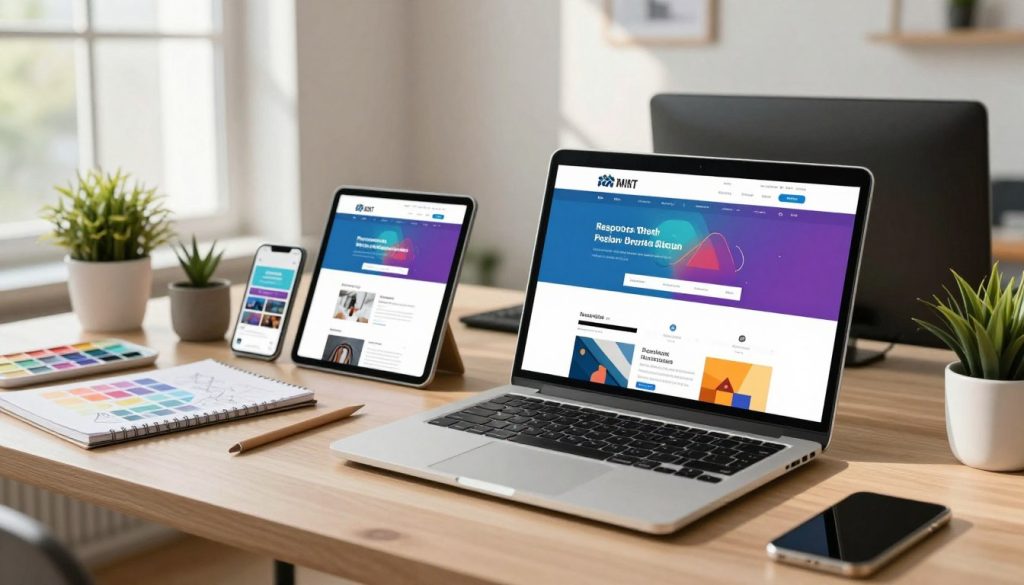
Responsive Design: Why It Matters on All Devices
Today, people visit your site from smartphones as much as desktops. A responsive web design makes sure your site looks great on any screen size. This is not just nice to have; it’s essential for success in today’s business world.
A mobile-friendly design offers a smooth experience on any device. When your site works well on phones, you show professionalism and build trust. But if it’s hard to read or use on a mobile, you might lose valuable leads.
By focusing on mobile-friendly design, you catch traffic from all sources. Investing in responsive web design means your business stays open, functional, and ready to turn visitors into loyal customers anytime.
The Impact of Visuals in Website Design
Your website’s visual design does more than look good; it shares your core values right away. When visitors see your page, they feel an immediate emotional connection. We think that good design connects your business with potential customers.
Visuals should support your message, not get in the way. A clean and professional look builds trust. It makes users want to learn more about what you offer. A good balance makes your site both attractive and easy to use.
Choosing the Right Color Scheme
Color is a strong tool that shapes how people see your brand. A well-chosen color palette gives your site a cohesive and professional look. You can use different ways to achieve this harmony.
A monochromatic scheme uses different shades of one color, looking modern and clean. Complementary colors, on the other hand, offer high contrast, making buttons pop. Analogous colors are next to each other, creating a soothing experience for the reader.
| Color Strategy | Best For | Emotional Impact |
|---|---|---|
| Monochromatic | Minimalist Brands | Sophisticated and calm |
| Complementary | Call-to-Action Focus | Energetic and bold |
| Analogous | Nature or Wellness | Harmonious and balanced |
The Power of High-Quality Imagery
High-quality images and videos are key for showing off your products without clutter. Use professional photos that show your business’s authentic personality. Clear images help customers see the value you offer.
Stay away from generic stock photos that don’t match your brand. Instead, choose images that tell a story or show your services in action. Meaningful imagery makes your site more engaging, keeping visitors longer.
Content That Converts: Crafting Engaging Copy
Great design grabs attention, but it’s your words that seal the deal. Many business owners focus on looks but forget the power of words. Effective copy acts as a bridge between interest and purchase.
Your website should be like a silent salesperson that works for you all the time. By choosing your words carefully, you can build trust and show the value of your services.

Tailoring Messages for Your Target Audience
To convert visitors, you must speak directly to their specific pain points and desires. Generic language often fails because it doesn’t resonate with your customers’ unique challenges. Instead, focus on how your business provides a practical solution to their problems.
Start by identifying your ideal client and what they need to hear to feel confident. When you address their concerns head-on, you show you understand their situation. This empathy creates a strong connection that encourages them to stay on your site longer.
Utilizing Calls to Action Effectively
Once you have captured a visitor’s interest, you must tell them exactly what to do next. A clear, bold call to action (CTA) removes the guesswork and guides the user toward a conversion. Without these prompts, even the most interested visitors may simply leave your site without taking any action.
Place your CTAs in prominent locations where they are easy to find, such as the end of a service description or near the top of your homepage. Use action-oriented language that feels helpful rather than pushy. Phrases like “Get Your Free Consultation” or “Start Your Project Today” work well because they offer immediate value to the reader.
Remember that consistency is key to guiding your audience through the customer journey. By aligning your copy with your specific business goals, you turn passive readers into active, long-term clients.
Search Engine Optimization (SEO) Basics for Small Businesses
We make SEO simple for small business owners to get real results. Many see SEO as a mystery, but it’s really about making your site easy for search engines. By focusing on basic steps, you can create an SEO-friendly website that draws in the right visitors.
The Importance of Keywords in Web Design
Keywords connect what customers search for with what you offer. By using the right terms in your site, you tell search engines your content is valuable. This means using keywords in your page titles, headers, and main content.
Don’t overdo it with keywords. Too many can harm your ranking. Instead, create content that answers your customers’ questions. A good SEO-friendly website uses keywords to help both users and search engines find what they need.
Local SEO: Attracting Customers in Your Area
Local SEO is key if you need local customers. It makes sure your business shows up first when locals search for you. Claim your business on big search sites and keep your contact info the same everywhere.
Use location-specific keywords to attract nearby customers. Show your service area on your site to make it easy for locals to find you. This is crucial for any SEO-friendly website aiming to be top in its area.
| Strategy | Primary Goal | Key Benefit |
|---|---|---|
| Keyword Research | Identify user intent | Higher search relevance |
| On-Page Optimization | Improve site structure | Better user experience |
| Local SEO | Capture nearby leads | Increased foot traffic |
| Content Strategy | Provide value | Improved brand authority |
Website Speed: Why It Can't Be Ignored
Today’s users want quick access to information. A slow website can lead to visitors leaving. This hurts your bounce rate and search rankings, as search engines favor fast sites.
A slow site can harm your brand. By focusing on speed, your mobile-friendly design works better for mobile users. Faster sites keep visitors interested, leading to more sales and success.
Factors That Affect Loading Times
Several things can slow down your website. Knowing these common issues is key to a faster site. Here are the main factors:
- Uncompressed Images: Big, high-quality images slow down loading.
- Heavy Code: Too many scripts and CSS can slow down your site.
- Server Response Time: A slow server can delay your site’s load time.
- Too Many Redirects: Each redirect adds extra time for users.
Tools for Measuring Website Performance
You can’t improve what you don’t measure. Luckily, many tools give insights into your site’s performance. These tools help keep your site fast and user-friendly.
Start with these top tools to check your site’s speed:
- Google PageSpeed Insights: It scores your site and suggests improvements for your mobile-friendly design.
- GTmetrix: It breaks down your site’s speed and shows which files need work.
- Pingdom: A simple tool to test your site’s speed from different places.
Keep an eye on these metrics to fix issues before they hurt your business. Small changes can make a big difference in keeping users happy.
Security Measures Every Small Business Should Implement
Creating a secure website is key to earning your visitors’ trust. When people feel safe, they’re more likely to engage with your site and make purchases. Security is not just a technical requirement; it is a core component of your brand reputation.
Importance of SSL Certificates
An SSL certificate keeps your internet connection secure. It encrypts data between your server and visitors’ browsers, stopping hackers. Look for the padlock icon in the browser to spot a secure site.
SSL certificates also tell search engines your site is safe. Without one, browsers may warn users, scaring them away. Getting an SSL certificate is a critical step for a professional online image.
Protecting Customer Data: Best Practices
Protecting your customers’ data is a big responsibility. Use strong, unique passwords for all admin accounts to block unauthorized access. Also, keep your website software and plugins up to date to fix security holes.
Choosing a secure hosting provider adds another layer of protection. Regularly backing up your site data ensures quick recovery in case of problems. These steps give your customers the peace of mind they expect when dealing with your business.
| Security Measure | Primary Benefit | Impact on Trust |
|---|---|---|
| SSL Certificate | Data Encryption | High |
| Software Updates | Vulnerability Patching | Medium |
| Strong Passwords | Unauthorized Access Prevention | High |
| Regular Backups | Data Recovery | Medium |
Integrating Social Media with Your Website
A modern website is a central hub that connects your brand with your online community. By linking your social media profiles to your site, you create a cohesive digital presence. This makes your brand feel consistent, no matter where people find you.
Benefits of Social Sharing Buttons
Social sharing buttons are powerful tools that help your visitors share your content. When someone finds your content valuable, these buttons make sharing effortless. This can greatly increase your reach without costing extra money.
Adding these buttons to your site offers many benefits:
- Increased Traffic: Every share brings new visitors to your site.
- Improved Engagement: It turns readers into active participants in your brand story.
- Better Visibility: Frequent sharing tells search engines your content is popular.
How to Embed Social Feeds
Embedding live social feeds on your website shows real-time customer interaction. It proves your business is active, responsive, and trusted. This transparency builds confidence in your services.
To embed social feeds smoothly, follow these steps:
- Choose the Right Platform: Pick channels where your audience is most active, like Instagram or LinkedIn.
- Use Official Plugins: Most platforms have simple tools or widgets that keep your site fast and secure.
- Curate Your Content: Only show feeds that meet your professional standards and current goals.
By showing your latest updates, photos, or testimonials, your site stays fresh and dynamic. This invites your audience to join the conversation, building a stronger community around your business.
The Role of Analytics in Improving Your Website
Guesswork is the enemy of growth online. Many business owners launch a site and hope for the best. But true success comes from understanding how visitors interact with your pages.
By observing real behavior, we can see where potential customers get stuck or leave. This turns your website into a dynamic sales tool. When you stop guessing and start measuring, you gain clarity to refine your strategy and boost your return on investment.
Tools for Tracking User Behavior
To understand your audience, you need the right technology. Platforms like Google Analytics give a comprehensive view of your traffic and page engagement.
Heat-mapping tools like Hotjar or Microsoft Clarity offer visual insights into user activity. They show where people click, scroll, and stop. Identifying these friction points is the first step toward creating a smoother experience.
Making Data-Driven Decisions
Once you have gathered your data, the next step is to turn those numbers into actionable improvements. If you notice a high bounce rate on a specific landing page, it’s a clear signal that the content or call to action is not meeting user expectations.
We recommend focusing on these key metrics to guide your updates:
- Conversion Rate: The percentage of visitors who complete a desired action.
- Average Session Duration: How long users stay engaged with your brand.
- Exit Pages: Identifying where users drop off to fix potential design flaws.
Making data-driven decisions allows you to prioritize changes that have the biggest impact on your bottom line. Regular monitoring ensures that your website evolves alongside your customers’ needs, fostering long-term growth and consistent performance.
Regular Maintenance: Keeping Your Website Fresh
Your website is like a living thing that needs care to thrive. It’s like a store that needs upkeep to stay inviting and useful. We see maintenance as a proactive investment, not just a task.
Why Updates Matter for Performance
Keeping your site updated is key to its security and speed. Outdated software, plugins, and themes can harm your site. Regular upkeep keeps your responsive web design working well on all devices and browsers.
Staying current prevents slow loading and broken links that annoy visitors. Regular checks are vital for small business web solutions. They make sure your site is a reliable tool for your business.
The Benefits of Content Refreshes
Your site’s content must stay relevant to your audience. Search engines favor sites with fresh, updated info. This boosts your visibility.
Adding new content keeps visitors coming back. It builds long-term trust with your customers. Regular updates are a smart move for your small business web solutions. Staying current helps your site grow.
Choosing the Right Web Design Service
Creating a top-notch website needs a solid plan. You have to choose between simple builders or professional web development. This choice is key to achieving your growth goals.
Inquiries for Potential Partners
Ask designers about their approach to small business website design. Find out how they ensure mobile optimization and handle security updates. Also, ask for examples of their past work to see if it fits your brand.
Assessing Experience and Value
Looking at a portfolio helps you understand their quality. Check for clean designs and quick loading times. A good partner offers affordable design that’s both cost-effective and performs well over time.
It’s time to improve your online presence. Contact a reliable expert to talk about your specific needs. Your business needs a website that’s as effective as you are.



